
Grand Theft Timeline Discord: Official Invite, Support, and Playtest Status
Find the official Grand Theft Timeline Discord invite code, developer support thread, friends-only co-op rules, and closed playtest status.
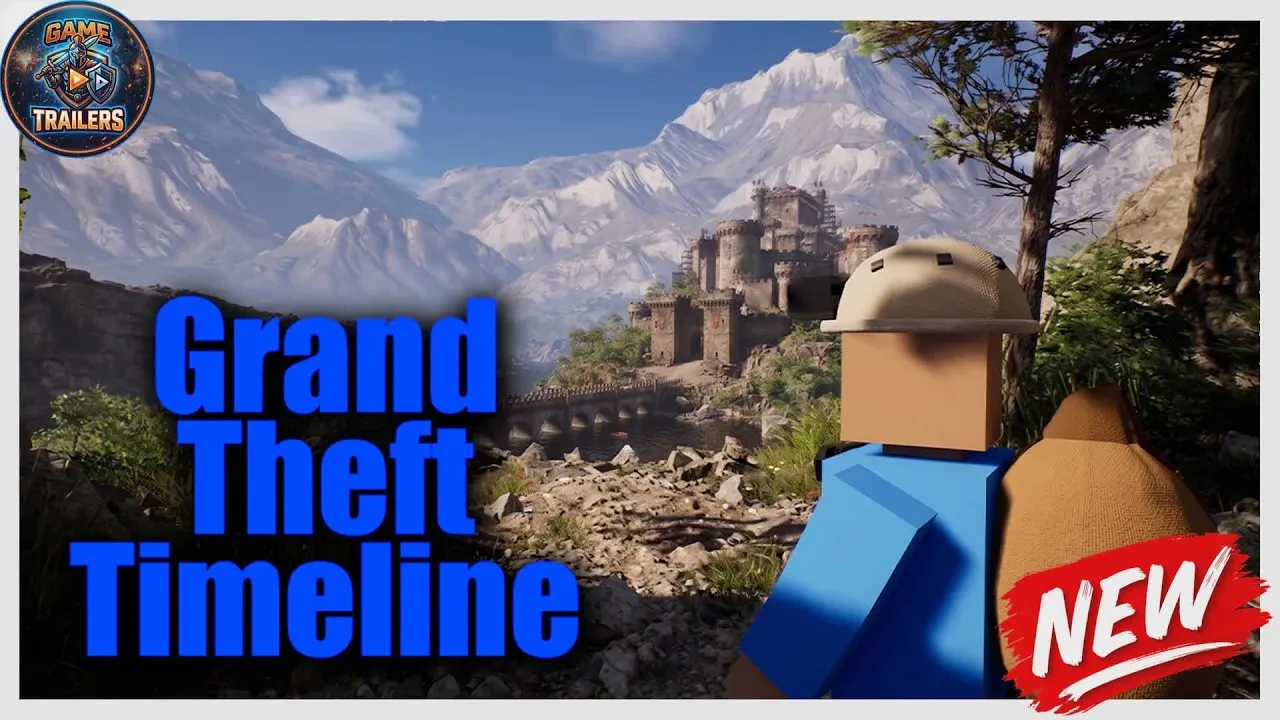
Joining the official Grand Theft Timeline Discord is the fastest way to reach developer support, track Steam Early Access news, and organize a squad before firing up your garage time machine. Because Grand Theft Timeline uses friends-only online co-op rather than public matchmaking lobbies, having a reliable community hub outside the client makes an immediate difference for solo players who want a full crew. Whether you are checking playtest status or looking for teammates to haul bosses home in cages, the Grand Theft Timeline Discord anchors the game’s player base.
Below, you will find how to access the verified invite safely through official Steam links, what is confirmed about the closed playtest, how Early Access co-op and modding work, and which PC specs to verify before joining a run.
Official Grand Theft Timeline Discord Access and Verified Channels
To avoid unofficial or expired third-party server directories, always pull the invite straight from developer Tbjbu2’s verified Steam posts. On September 15, Tbjbu2—the indie developer associated with studio and publisher REAL PLAYERS—pinned a topic titled “Discord (Fast Support / Playtest)” inside the pinned Steam General Discussions Discord thread. That exact same invite link was shared again on October 24 on the official Steam Community announcements page.
If you prefer joining directly inside the Discord desktop or mobile app, open Discord’s “Join a Server” prompt and enter the verified invite code qDrkK64RnN, or click the direct link posted by Tbjbu2 inside the pinned Steam thread above. Using official Steam posts ensures you land in the genuine Grand Theft Timeline Discord maintained for fast troubleshooting and news.
Only a few structural details about the server are publicly documented before you join. Official Steam posts confirm that the server handles fast support and playtest updates, and that important announcements appear in a #news channel. Beyond #news, the complete channel directory, moderation rules, dedicated co-op voice rooms, and current member count are not publicly listed on Steam and remain visible only inside the server itself. Players who also want email alerts for major updates or media assets can check the official Tbjbu2 developer website, which offers a mailing list and the Grand Theft Timeline Press Kit.
| Official Source | Primary Purpose | Confirmed Details |
|---|---|---|
| Pinned Steam General Discussions Discord Thread | Verified Discord invite and support entry | Pinned by developer Tbjbu2 on Sept 15 for fast support and playtests (invite code qDrkK64RnN) |
| Official Steam Community Announcements | Developer updates and playtest notices | Confirms #news channel instructions, closed playtest status, and 100,000 wishlists milestone |
| Grand Theft Timeline Official Steam Store Page | Store listing, features, and PC specs | App ID 4928450, Nov 19, 2026 Early Access listing, Windows 10+ specs, and Workshop details |
| Official Tbjbu2 Developer Website | Mailing list and press resources | Official developer hub hosting update sign-ups and the Grand Theft Timeline Press Kit |
For developer background and verified community channels, see our Gold Team Explained.
Closed Playtest Status and Steam Early Access Timeline
Many players search for the Grand Theft Timeline Discord hoping to claim a free test build, so it is important to clarify what is currently open versus closed. On October 24, REAL PLAYERS announced a free private playtest playable solo or with friends, instructing members to join the server and read the latest message in #news to receive access within 24 hours. That announcement on the official Steam Community announcements page was later updated to state clearly that the playtest is over.
During that private test window, participants were barred from sharing footage, livestreaming, or publishing public videos. As of the November 19, 2026 store data snapshot, no standalone public Steam demo is listed on the Grand Theft Timeline official Steam store page, and the developer has not publicly confirmed whether another free test wave will reopen.
Instead, attention shifts to Steam Early Access. According to the Grand Theft Timeline official Steam store page, the game is listed for Steam Early Access on November 19, 2026—with the store description joking about arriving on the same date tied to GTA 6—and REAL PLAYERS plans roughly 24 months in Early Access, targeting a full 1.0 launch around late 2028.
The game is a paid title rather than free-to-play. Before the Early Access unlock, the final Steam store price had not yet appeared in Steam’s API, though Tbjbu2 estimated a $10–$20 range in Steam Discussions and noted the price may rise gradually during Early Access. Community reports in Steam Discussions also show active debate around the November 19 release timing and the game’s AI-supported modding tools, making direct developer updates in the Grand Theft Timeline Discord valuable for separating facts from speculation.
| Detail | Closed Discord Playtest | Steam Early Access Plan |
|---|---|---|
| Availability | Officially closed (Oct 24 announcement marked over) | Listed on Steam for Nov 19, 2026 (~24 months planned until late 2028) |
| Cost | Free during active test window | Paid game; $10–$20 dev estimate on Steam Discussions (check live Steam price) |
| Access Method | Join Discord and follow #news instructions |
Purchase on Steam (App ID 4928450); no standalone Steam demo listed |
| Content Sharing | Strictly private; no streaming or public videos | Standard Steam Early Access release (check store for current terms) |
For developer background and verified community channels, see our GTA 6 Release Day Joke Explained.

Grand Theft Timeline - Official Announcement Trailer (REALPLAYERS)
General game footage used as fallback media. This is not a keyword-specific tutorial or device benchmark; use the cited references for factual claims.
Why Friends-Only Co-Op Makes the Grand Theft Timeline Discord Essential
Multiplayer architecture is the biggest practical reason to keep an eye on the Grand Theft Timeline Discord. On the Grand Theft Timeline official Steam store page, the game lists single-player and 1–4+ player online co-op on PC (Windows 10+ 64-bit), along with Steam Cloud and Family Sharing. However, developer Tbjbu2 explicitly confirmed in Steam Discussions that there is no public matchmaking or open lobby browser—only single-player or friends-only sessions—and no couch or split-screen co-op. Crossplay is not listed on Steam, and macOS and Linux are marked unsupported on the Steam store page.
Because you cannot queue into random public lobbies, connecting with fellow PC players through the Grand Theft Timeline Discord or Steam Discussions is the primary way to build a Steam friends list for group runs. Coordinating over voice or text also directly addresses the game’s chaotic mechanics confirmed on Steam:
- Time machine departures: Every button inside your garage-built time machine triggers an effect, and the machine leaves with whoever is inside. Anyone left behind returns decades older or as a baby, so calling out departures matters.
- World raids and boss captures: Across 200+ historical and fictional worlds (spanning dinosaurs to Squid Game) and 25+ story-style theme packs, every world hides a boss whose map you can unlock before killing it or caging it to haul home alongside 2,000+ capturable NPCs.
- Physics combat, hordes, and rides: Teams tear through massive crowds like 100 one-hit mummies using world-specific weapons, throw nearby objects when ammo runs dry, and ride mounts or vehicles while friends fire from the back.
- Shared garage progression: Crews steal valuables to fund weapon, garage, and time machine upgrades, farm Paradox dripped by caged captures in their garage zoo, enter captures into The Timeline Arena colosseum to unlock new worlds, shrink captures into pets, equip skins, and gamble crew cash on volatile stocks like
DEFINITELY NOT A RUG.
| Feature | Confirmed Status | Official Source Basis |
|---|---|---|
| Platform & OS | PC Windows 10+ (64-bit) only on Steam; macOS and Linux marked unsupported; no console, mobile, or VR listed on Steam | Grand Theft Timeline Official Steam Store Page |
| Player Count | 1–4+ players (Single-player and Online Co-op) | Grand Theft Timeline Official Steam Store Page |
| Matchmaking & Lobbies | Friends-only online co-op; no public matchmaking or open lobby browser | Developer Tbjbu2 confirmation in Steam Discussions |
| Split-Screen & Crossplay | No couch/split-screen co-op; no crossplay listed on Steam | Developer Tbjbu2 confirmation and Steam Store listing |
| Steam Extras | Steam Cloud, Family Sharing, and Steam Workshop supported | Grand Theft Timeline Official Steam Store Page |
For developer background and verified community channels, see our REAL PLAYERS (Tbjbu2) Developer Profile.
Modding, Steam Workshop, and Support Etiquette in the Community
Long-term community activity inside the Grand Theft Timeline Discord will likely revolve heavily around user-created content as well as bug reports. When REAL PLAYERS celebrated passing 100,000 wishlists in one month on the official Steam Community announcements page, the developer noted strong community demand for accessible modding tools that let players build custom levels, loot, and NPCs.
That commitment now appears directly on the Grand Theft Timeline official Steam store page, which confirms both Steam Workshop integration and a built-in mod kit designed to require no coding background. The store listing also includes an official AI disclosure stating that an AI-supported mod engine allows parts of modded content to use AI generation. Because community-made worlds and Early Access builds can introduce edge-case bugs, following a few simple habits helps you get faster answers when requesting developer support:
- Read
#newsand Steam announcements first: Check whether an issue, hotfix, or playtest change has already been addressed on the official Steam Community announcements page. - Separate vanilla and modded runs: Clearly state whether a crash or physics glitch occurred in an official theme pack or a Steam Workshop community world.
- Share exact PC details: Include your Windows version, GPU, and RAM alongside whether you were hosting or joining a friends-only online session.
Official PC Requirements to Check Before Joining a Co-Op Crew
Before teaming up with players from the Grand Theft Timeline Discord, verify that your machine meets the baseline specifications published on the Grand Theft Timeline official Steam store page. Steam provides full minimum hardware requirements and mandates a broadband internet connection, though recommended specifications beyond a 64-bit processor and operating system are not separately detailed yet.
| Component | Official Minimum Requirement | Recommended Listing on Steam |
|---|---|---|
| Operating System | Windows 10+ (64-bit) | 64-bit processor and operating system |
| Processor | Intel Core i5-7400 @ 3.3 GHz or AMD Ryzen 3 3300X | Not separately detailed on Steam |
| Memory | 8 GB RAM | Not separately detailed on Steam |
| Graphics | NVIDIA GeForce GTX 1050-Ti or AMD Radeon RX 5500 XT | Not separately detailed on Steam |
| Network | Broadband Internet connection | Not separately detailed on Steam |
| Storage | 10 GB available space | Not separately detailed on Steam |
Frequently Asked Questions About the Grand Theft Timeline Discord
How do I join the official Grand Theft Timeline Discord safely?
Open the pinned Steam General Discussions Discord thread posted by developer Tbjbu2 and click the pinned invite link, or enter the invite code qDrkK64RnN directly inside Discord’s “Join a Server” menu. Avoid unofficial mirrors claiming to distribute bonus codes or private keys.
Is the free Grand Theft Timeline Discord playtest still open?
No. The free private playtest previously coordinated through #news in the Grand Theft Timeline Discord is officially marked over on the official Steam Community announcements page. No standalone public Steam demo is listed, and no future playtest dates have been announced.
Can I join public co-op lobbies without using the Grand Theft Timeline Discord?
No public matchmaking or open lobby browser is available. Developer Tbjbu2 confirmed in Steam Discussions that multiplayer is strictly single-player or friends-only online co-op with no split-screen option, so meeting teammates through Discord or Steam Discussions is the main path for solo players seeking a 1–4+ player crew.
Does Grand Theft Timeline support consoles, macOS, or Linux?
According to the Grand Theft Timeline official Steam store page, the game lists PC Windows 10+ (64-bit) support on Steam, marks macOS and Linux unsupported, and does not list PlayStation, Xbox, Nintendo Switch, mobile, or VR versions. Check official Steam updates or the official Tbjbu2 developer website if future platform plans are ever announced.
Related guides: Is Grand Theft Timeline a Real Game? · Release Date & Early Access Roadmap · Official Trailers Breakdown
Related Articles
community
Grand Theft Timeline Gold Team Explained: Confirmed Facts and Co-Op Guide
Searching for the Grand Theft Timeline gold team? See what is officially confirmed, how 1-4+ player Steam co-op works, and where mods fit in.
community
Grand Theft Timeline GTA 6 Joke Explained: Release Day & Co-Op Facts
Explore the Grand Theft Timeline GTA 6 release-day joke, Steam Early Access facts, 1-4+ co-op rules, PC specs, and community reports.
community
Grand Theft Timeline Real Players: Studio Info & Community Guide
Discover who REAL PLAYERS is behind Grand Theft Timeline, how 1-4+ friends-only co-op works without public matchmaking, and where to join the community.
Was this helpful?
Thanks for the feedback!