
Grand Theft Timeline Multiplayer Not Working: Steam Co-Op and Voice Chat Fixes
Fix Grand Theft Timeline multiplayer not working on Steam with friends-only co-op checks, Windows requirements, voice chat notes, and official support.
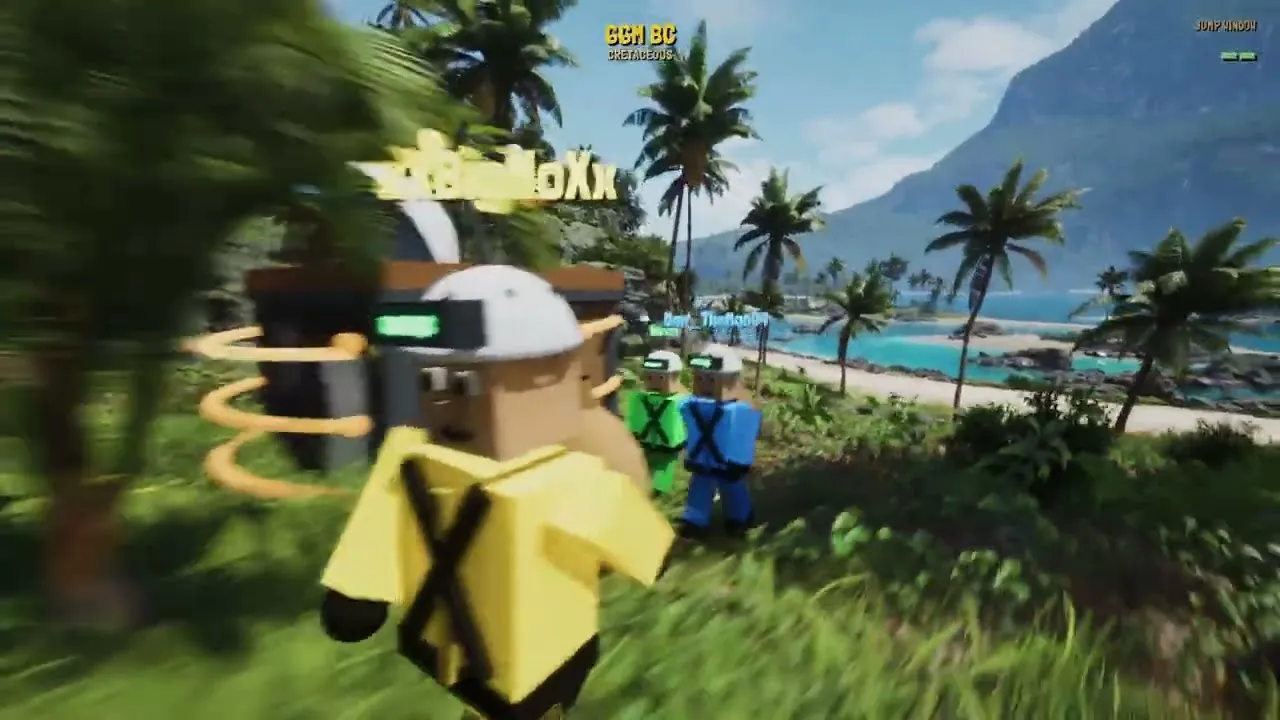
Running into Grand Theft Timeline multiplayer not working right when your crew tries to fire up the garage time machine can stall your heist before you ever leave the first era. Because REAL PLAYERS built this 1–4+ player time-travel dungeon crawler around chaotic online co-op—hauling historical and fictional captures home in cages, defending rides, and farming paradox together—connection snags hit the core loop immediately. Before assuming the servers have collapsed, use this guide to diagnose why Grand Theft Timeline multiplayer not working happens on Steam Early Access, separate confirmed co-op rules from bugs, and walk through verified Steam, Windows, and voice chat checks.
Confirmed Multiplayer Rules and Early Access Status
Before changing system settings, verify that the behavior you are seeing is actually a network failure rather than an official design boundary. According to the official Grand Theft Timeline Steam store page, the game is listed as a paid PC title for 64-bit Windows 10+ entering Steam Early Access on November 19, 2026, with roughly 24 months of planned Early Access development targeting a late 2028 full release.
Many players report Grand Theft Timeline multiplayer not working simply because they expect features that are not part of the game. Developer Tbjbu2 explicitly confirmed in Steam Discussions that online co-op supports 1–4+ players strictly in friends-only sessions, with no public matchmaking or open random lobbies, and no couch or split-screen co-op. Likewise, the Steam store listing specifies Windows only, with no macOS, Linux, console, or crossplay support listed on Steam.
Two other launch-window details often look like disconnects when they are not. First, the earlier free private Discord playtest is officially marked closed on the Grand Theft Timeline Steam announcements page, so closed-playtest access will not link up with the live Early Access release. Second, getting separated from your squad mid-run can be an intentional mechanic: the garage time machine leaves with whoever is standing inside, returning left-behind crewmates decades older or as a baby.
| Multiplayer Feature | Official Status (as of Nov 19, 2026) | Troubleshooting Takeaway |
|---|---|---|
| Online Co-Op Size | Confirmed for 1–4+ players (plus solo play) | Form a Steam friend group before launching a heist |
| Public Matchmaking / Lobbies | Not supported (confirmed friends-only by dev) | Missing public server list is expected behavior |
| Split-Screen / Couch Co-Op | Not supported (confirmed by dev) | Each teammate needs an individual Windows PC |
| Platform & Crossplay | Windows 10+ (64-bit) on Steam; no macOS, Linux, console, or crossplay listed | Unsupported OS setups or cross-platform invites will not work |
| Steam Cloud & Family Sharing | Confirmed on Steam store listing | Ensure simultaneous online players do not collide on one shared library |
| Private Discord Playtest | Officially closed | Do not launch old playtest builds; use the live Steam Early Access version |
If you run into technical or lobby issues on Steam, follow our PC Crash & Stuck Loading Fix.
Step-by-Step Steam and Windows Fixes for Co-Op Issues
Because REAL PLAYERS notes on Steam that Early Access ships with a massive scope—over 200 worlds, 25+ theme packs, and 2,000+ capturable NPCs—early rough edges and rapid patches are expected. Rather than digging for undocumented in-game network menus or unconfirmed error codes, work through these verified Steam client and Windows networking checks in order when Grand Theft Timeline multiplayer not working blocks your crew.
Verify Steam Client Status and Build Parity
Friends-only Steam co-op depends on clean Steam client handshakes and matching game versions across every member of your party.
- Set Steam to Online: Confirm every player is signed into Steam Friends as Online rather than Offline or Invisible, and verify that everyone is mutually added on Steam.
- Force Pending Early Access Updates: Because the developer plans to patch Early Access rough edges quickly, have every player fully exit and restart Steam so nobody stays stuck on an older build.
- Verify Integrity of Game Files: Right-click Grand Theft Timeline in your Steam library, open Properties > Installed Files, and run Verify integrity of game files to repair missing or mismatched launch files.
- Check Family Sharing Ownership: Steam Family Sharing is supported on the store page, but online co-op teammates playing at the exact same time should confirm each person is launching under an available Steam license.
Check Broadband Stability, Firewall Rules, and Workshop Mods
The official Steam listing requires a Broadband Internet connection, and the game also features official Steam Workshop support alongside a built-in mod kit for custom worlds, loot, and NPCs. Either network interference or mismatched Workshop subscriptions can trigger Grand Theft Timeline multiplayer not working during lobby handshakes or world transitions.
- Allow the Game Through Windows Firewall: Open Windows Security > Firewall & network protection > Allow an app through firewall, and confirm both Steam and Grand Theft Timeline have permission on your active network profile.
- Disable VPNs and Strict Proxies: Temporarily turn off VPN clients or tunneling software that can disrupt Steam invite routing or inflate packet loss during physics-heavy fights.
- Test Without Steam Workshop Mods: If co-op breaks right after adding community worlds or custom NPCs, have the entire group disable or unsubscribe from Workshop items and test a clean unmodded session first.
| Co-Op Symptom | Most Likely Cause | Recommended Fix |
|---|---|---|
| Cannot locate public lobbies or quick match | Friends-only multiplayer architecture | Invite teammates directly through Steam Friends |
| Invites fail to deliver or immediately bounce | Steam set to Offline/Invisible or build mismatch | Restart Steam, set status to Online, and verify game files |
| Mid-heist drops or rubber-banding | Wi-Fi instability, VPN interference, or firewall block | Switch to wired broadband, disable VPNs, and allow through Windows Firewall |
| Crashes or desync on custom worlds | Mismatched Steam Workshop content | Unsubscribe or disable Workshop mods across all teammates and retest |
If you run into technical or lobby issues on Steam, follow our Lag & FPS Performance Fix.

Grand Theft Timeline - Official Announcement Trailer (REALPLAYERS)
General game footage used as fallback media. This is not a keyword-specific tutorial or device benchmark; use the cited references for factual claims.
Check Official PC Minimum Requirements to Rule Out Host Bottlenecks
Hardware bottlenecks often masquerade as network failures in co-op dungeon crawlers. When your squad loads into worlds packed with throw-anything physics, drivable rides, or crowds of 100 one-hit enemies, an underpowered host PC can stall long enough to time out teammates and look like Grand Theft Timeline multiplayer not working.
As of November 19, 2026, the official Steam store listing publishes minimum Windows requirements, while separate recommended hardware tiers are not yet detailed beyond requiring a 64-bit processor and operating system. Compare every teammate’s rig—especially the host’s—against the verified baseline below.
| System Component | Official Minimum Requirement | Impact on Online Co-Op |
|---|---|---|
| Operating System | 64-bit Windows 10+ | Required; older or 32-bit OS versions are unsupported |
| Processor (CPU) | Intel Core i5-7400 @ 3.3 GHz or AMD Ryzen 3 3300X | Drives crowd AI, physics collisions, and session sync |
| Memory (RAM) | 8 GB RAM | Tight memory can freeze or crash multi-world transitions |
| Graphics (GPU) | NVIDIA GeForce GTX 1050-Ti or AMD Radeon RX 5500 XT | Sustains frame pacing during dense arena and heist fights |
| Network | Broadband Internet connection | Essential for stable 1–4+ player co-op sessions |
| Storage | 10 GB available space | Needed for base files, Early Access patches, and Workshop mods |
If one player hovers right at 8 GB of RAM or runs near the minimum CPU/GPU floor, assign hosting duties to the teammate with the strongest Windows PC and most reliable broadband line. Closing browser tabs, screen recorders, and heavy overlays frees memory before transitioning between worlds or entering the Timeline Arena.
If you are organizing a squad or playing solo, check our Multiplayer & Co-Op Guide.
Fixing Grand Theft Timeline Voice Chat Not Working
Many co-op crews troubleshooting Grand Theft Timeline multiplayer not working also run into Grand Theft Timeline voice chat not working and immediately look for missing microphone sliders inside the game. Here is the key factual boundary: official Steam store documentation, developer announcements, and pinned Steam Discussions do not confirm whether Grand Theft Timeline includes built-in lobby or proximity voice chat, nor do they document any in-game voice menu layout.
Until built-in voice features are explicitly confirmed in the live Early Access build, do not waste time hunting for unverified in-game audio toggles. Instead, solve Grand Theft Timeline voice chat not working at the Windows, Steam, and Discord layers so your squad can coordinate time-machine departures, boss cages, and garage stock bets without missing a callout.
- Use a Private Discord Voice Channel: Since co-op is friends-only and the developer’s own community hub runs on Discord, a private Discord call is the most dependable workaround if native voice chat is unimplemented or unstable in Early Access.
- Verify Windows 10+ Microphone Permissions: Open Windows Settings > Privacy & security > Microphone, ensure desktop apps have microphone permission enabled, and confirm your headset is set as both the default input and default communications device.
- Test Steam Voice Input: If your squad relies on Steam’s built-in Friends voice chat, open Steam Friends & Chat > Settings > Voice, select your exact microphone rather than “Default,” and run the microphone test.
- Remove Audio Device Conflicts: Disable unused virtual audio mixers or Bluetooth hands-free headset profiles in Windows Sound settings so launching a 64-bit game does not hijack your microphone channel.
| Voice Check Layer | Official Status / Scope | Action to Take |
|---|---|---|
| In-Game Voice Chat | Unconfirmed in official pre-unlock docs | Verify inside the live Early Access build; do not assume native voice exists |
| Windows Mic Privacy | Standard Windows 10+ requirement | Enable desktop app microphone access and confirm default input device |
| Steam Friends Voice | Built-in Steam client option | Manually select your headset mic and test input levels in Steam Voice settings |
| Discord Voice Call | Recommended co-op fallback | Run a private Discord call alongside the game for reliable team comms |
How to Report Early Access Bugs Through Official Support Channels
If your squad meets the minimum Windows requirements, passes every Steam check, and still faces Grand Theft Timeline multiplayer not working, you may have hit a genuine Early Access bug. In the official Steam Early Access notice, REAL PLAYERS directly acknowledges that rough edges will appear given the game’s content volume and encourages players to report problems so the team can issue quick fixes.
Use only the developer’s verified support channels rather than unofficial third-party fix tools:
- Fast Developer Support on Discord: Follow the official invite link shared in Tbjbu2’s pinned Grand Theft Timeline Discord support thread on Steam Discussions.
- In-Game Feedback Form: Submit connection or audio bugs directly through the built-in feedback form referenced in the official Early Access notes.
- Steam Announcements & Developer Site: Watch the official Steam announcements feed for patch updates and visit the official Tbjbu2 developer website for official links and press resources.
To speed up troubleshooting when filing a report, include your Windows version, basic hardware specs, crew size (1–4+ players), whether any Steam Workshop mods were enabled, and the exact action that triggered the disconnect.
Frequently Asked Questions
Why is Grand Theft Timeline multiplayer not working when I search for public lobbies?
Developer Tbjbu2 confirmed in Steam Discussions that Grand Theft Timeline does not include public matchmaking or open random lobbies. Online co-op for 1–4+ players is strictly friends-only on Steam, so you must invite friends directly instead of looking for a public server list.
Does Grand Theft Timeline support split-screen co-op or crossplay?
No. Tbjbu2 confirmed that couch and split-screen co-op are not supported, and the official Steam store page lists 64-bit Windows 10+ only with no macOS, Linux, console, or crossplay support listed.
Can my friends and I still connect using the free Discord playtest?
No. According to the official Steam Community announcement, the free private Discord playtest is officially over and closed. Playing online co-op in Steam Early Access requires the live paid Windows build on Steam.
How do I fix Grand Theft Timeline voice chat not working with friends?
Official pre-launch documentation has not confirmed native in-game voice chat or specific voice menus. Check Windows 10+ microphone privacy permissions and Steam Voice input settings first, and use a private Discord voice channel for reliable squad communication while reporting any Early Access issues through the in-game feedback form or official Discord.
Related guides: Public Lobby & Matchmaking Guide · Official Discord & Support Status · How to Install Steam Workshop Mods
Related Articles
community
Grand Theft Timeline Discord: Official Invite, Support, and Playtest Status
Find the official Grand Theft Timeline Discord invite code, developer support thread, friends-only co-op rules, and closed playtest status.
community
Grand Theft Timeline Gold Team Explained: Confirmed Facts and Co-Op Guide
Searching for the Grand Theft Timeline gold team? See what is officially confirmed, how 1-4+ player Steam co-op works, and where mods fit in.
community
Grand Theft Timeline GTA 6 Joke Explained: Release Day & Co-Op Facts
Explore the Grand Theft Timeline GTA 6 release-day joke, Steam Early Access facts, 1-4+ co-op rules, PC specs, and community reports.
Was this helpful?
Thanks for the feedback!