
Grand Theft Timeline Lag Fix: PC Specs, Co-Op Checks, and Early Access Support
Use a verified Grand Theft Timeline lag fix with official Steam PC specs, friends-only co-op checks, Workshop mod tests, and Early Access support.
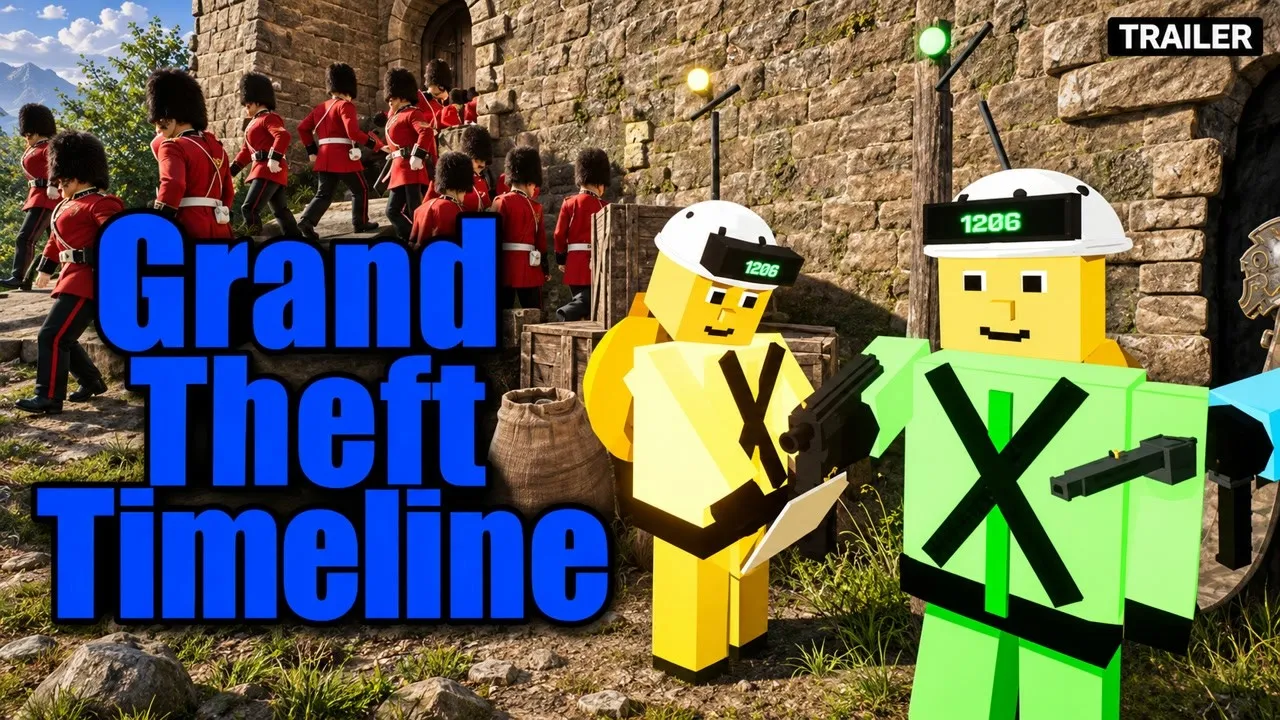
Finding a reliable Grand Theft Timeline lag fix starts with separating Early Access rough edges from local PC hardware or network bottlenecks. Stuttering, frame drops, and input delay matter immediately in a chaotic time-travel heist where missing the departing time machine sends your character back decades older or as a baby. Because REAL PLAYERS built this co-op sandbox around physics combat, large enemy hordes, and over 200 playable worlds, applying a methodical Grand Theft Timeline lag fix prevents wasted time on fake config tweaks or unverified third-party tools.
This troubleshooting guide stays grounded in verified Steam store requirements, Steam client diagnostics, friends-only online co-op checks, and official developer support channels. Where launch-build details remain unconfirmed, we state that clearly so you know what to verify directly inside the live Early Access release.
Confirmed vs. Unconfirmed Performance Details in Early Access
Before attempting any Grand Theft Timeline lag fix, it helps to separate verified official details from performance options that remain unconfirmed in pre-unlock documentation. According to the official Grand Theft Timeline Steam store page, the game is developed and published by REAL PLAYERS (associated with indie developer Tbjbu2 at the official Tbjbu2 website) for 64-bit Windows 10+ PCs via Steam (App ID 4928450). The store listing targets a November 19, 2026 Early Access launch with roughly 24 months of planned Early Access development through late 2028, and macOS and Linux are not listed on Steam.
| Performance Topic | Officially Confirmed | Unconfirmed or Pending Live Verification |
|---|---|---|
| Supported Platform | 64-bit Windows 10+ PC on Steam | No macOS, Linux, console, mobile, or VR build is listed on Steam |
| Hardware Baseline | Minimum CPU, 8 GB RAM, GPU, storage, and broadband specs | Full recommended hardware specs beyond 64-bit OS and processor |
| In-Game Graphics Menus | Not published in pre-unlock store documentation | Exact quality sliders, frame caps, upscalers, or launch flags |
| Multiplayer Scope | 1–4+ player online co-op (friends-only) and solo play | Underlying server or peer-hosting network architecture |
| Mod Support | Steam Workshop and built-in mod kit with AI-supported mod engine | Performance impact of individual community worlds and mods |
| Early Access Polish | Developers acknowledge rough edges and prioritize fast fixes | Specific patch numbers, optimization roadmaps, or error codes |
Because the earlier free private Discord playtest is officially marked closed on the Grand Theft Timeline Steam Community announcements page and prohibited public sharing or streaming, independent hardware benchmarks from that test are not publicly available. Any guide claiming exact in-game menu labels, secret console commands, or unofficial performance boosters before inspecting the live Early Access client should be treated cautiously.
If you run into technical or lobby issues on Steam, follow our Multiplayer & Voice Chat Fix.
Check Official PC System Requirements First
Your first practical Grand Theft Timeline lag fix is confirming that your Windows PC comfortably clears every minimum requirement published on the Grand Theft Timeline Steam store listing. Running near or below minimum hardware often causes choppy frame pacing during intense physics interactions, crowd spawns, or asset loading between worlds.
| Hardware Category | Official Minimum Requirement | Why It Affects Lag and Stutter |
|---|---|---|
| Operating System | 64-bit Windows 10 or newer | 32-bit environments and outdated OS builds are unsupported |
| Processor (CPU) | Intel Core i5-7400 (3.3 GHz) or AMD Ryzen 3 3300X | Handles physics objects, AI crowds, and NPC capture logic |
| Memory (RAM) | 8 GB RAM | Tight memory headroom triggers disk paging and sudden freezes |
| Graphics (GPU) | NVIDIA GeForce GTX 1050-Ti or AMD Radeon RX 5500 XT | Renders multi-world environments, effects, and arena scenes |
| Network | Broadband Internet connection | Required for stable 1–4+ player online co-op sessions |
| Storage | 10 GB available space | Low free space can slow asset streaming and Steam updates |
| Recommended Specs | 64-bit processor and operating system only | Higher-tier component targets are not yet detailed on Steam |
If your system sits right on the 8 GB RAM floor or uses an entry-level GTX 1050-Ti or RX 5500 XT class GPU, reducing Windows background load makes a noticeable difference:
- Close memory-heavy background apps such as multiple browser tabs, streaming recorders, and extra game launchers before starting the game.
- Update Windows 10+ and official GPU drivers directly through Windows Update, NVIDIA, or AMD so shader compilation and DirectX stability stay current.
- Keep extra free storage headroom beyond the 10 GB minimum so Steam patches and local save files do not stall on a nearly full drive.
If you run into technical or lobby issues on Steam, follow our PC Crash & Stuck Loading Fix.

Grand Theft Timeline - Official Announcement Trailer (REALPLAYERS)
General game footage used as fallback media. This is not a keyword-specific tutorial or device benchmark; use the cited references for factual claims.
Gameplay Scenarios That Trigger Slowdowns and How to Isolate Them
Even on compliant hardware, specific gameplay systems place heavier demands on CPU simulation, memory, and networking, making workload isolation an essential part of any Grand Theft Timeline lag fix. The official Steam description highlights several dense mechanics—from large enemy hordes to an expanding homebase packed with caged captures—that naturally stress PC resources differently than quiet solo exploration.
| Gameplay System | Official Feature Creating Load | Practical Isolation Check |
|---|---|---|
| Enemy Crowds | Hordes such as 100 one-hit mummies charging at once | Compare FPS in sparse exploration versus horde encounters |
| Physics Combat | Throw-anything combat with props, weapons, and knockdowns | Note whether stutter spikes only during heavy physics chains |
| Garage Zoo | Expanding homebase cages filled with captures dripping paradox | Test whether lag worsens strictly inside a crowded garage |
| Timeline Arena & Bosses | Boss fights in every world and Roman colosseum arena battles | Check if frame drops tie to specific worlds or arena waves |
| Rides in Co-Op | Riding mounts or vehicles while teammates shoot from behind | Test movement smoothness solo versus with multiple co-op riders |
| Steam Workshop Mods | Community-made worlds, loot, and NPCs built with the mod kit | Disable Workshop items and test an unmodded vanilla session |
Separating base-game performance from Workshop content is especially important. In an earlier development update on Steam, the team emphasized making custom levels, loot, and NPCs accessible to creators, and the store page notes an AI-supported mod engine for modded content. Community creations vary widely in optimization, so if slowdowns only appear inside a custom world or after subscribing to new Workshop mods, reverting to unmodded content immediately confirms whether the issue belongs to a mod rather than your PC.
For hardware and storefront compatibility details, see our All Platforms & Steam PC Guide.
Steam Client and Friends-Only Co-Op Troubleshooting Steps
When hardware checks look solid, your next Grand Theft Timeline lag fix should target the Steam client and your online co-op connection. Developer Tbjbu2 confirmed in Steam Discussions that multiplayer supports solo play or friends-only online co-op for 1–4+ players, with no public matchmaking lobbies and no couch or split-screen co-op. Steam Cloud and Family Sharing are also listed as supported features on Steam.
| Troubleshooting Area | Actionable Check | Target Symptom |
|---|---|---|
| Solo vs. Co-Op Split Test | Launch a solo run before joining or hosting friends | Distinguishes local FPS drops from network rubber-banding |
| Broadband Connection | Switch from crowded Wi-Fi to wired Ethernet if available | Reduces packet loss and ping spikes during online co-op |
| Group Connection Check | Test which friend’s session feels smoothest in 1–4+ co-op | Identifies whether one player’s broadband is bottlenecking play |
| Steam File Integrity | Verify integrity of game files in Steam Properties | Repairs corrupted downloads or incomplete Early Access patches |
| Steam Client Updates | Restart Steam to pull the latest Early Access hotfixes | Ensures every friend runs the same build version |
| Steam Cloud & Storage | Allow Steam Cloud sync to finish cleanly after closing | Prevents save conflicts and startup hiccups |
Testing solo play before inviting friends is one of the fastest Grand Theft Timeline lag fix diagnostics available. If solo sessions run smoothly while friends-only co-op stutters or desyncs, focus on broadband stability, pause background downloads or cloud backups across your network, and confirm everyone has downloaded the latest Steam update before reconnecting.
Official Support Channels for Early Access Lag Reports
Sometimes no local Grand Theft Timeline lag fix can solve an optimization bug inside a newly launched Early Access build. REAL PLAYERS explicitly notes in its Early Access disclosure that with over 200 worlds, 25+ theme packs, and 2,000+ capturable NPCs, rough edges will happen, and asks players to report problems so the team can patch them quickly.
| Official Channel | Best Use Case | Access Link |
|---|---|---|
| Official Discord Server | Fastest developer support and live troubleshooting threads | Pinned Discord support post on Steam |
| Steam Community Discussions | Logging reproducible bugs and checking developer replies | Grand Theft Timeline Steam store hub |
| In-Game Feedback Form | Sending quick bug reports directly from the Early Access client | Accessed inside the game client |
| Steam Announcements | Checking official patch notes and Early Access milestones | Official Steam Announcements |
To help the developers reproduce a slowdown quickly, include concise technical details in your report:
- Your PC specs (Windows version, CPU, RAM total, and GPU model).
- Session type (solo play or 1–4+ friends-only co-op, plus whether Steam Workshop mods were active).
- Exact trigger (for example, entering a specific world, fighting a large horde, or returning to an expanded garage).
Frequently Asked Questions
What is the fastest Grand Theft Timeline lag fix for PC players?
Start by confirming your PC meets the official Steam minimum requirements (64-bit Windows 10+, Core i5-7400 or Ryzen 3 3300X, 8 GB RAM, and GTX 1050-Ti or RX 5500 XT), closing background apps, verifying game files in Steam, and running a solo test to separate local FPS drops from online co-op network lag.
Does Grand Theft Timeline have official recommended PC specs yet?
Not in detail. As of the Early Access Steam listing, only the minimum hardware requirements and a 64-bit Windows OS/processor requirement under Recommended are specified, so higher-tier component recommendations remain pending official updates.
Can Steam Workshop mods cause lag in Grand Theft Timeline?
Yes, custom worlds, loot, and NPCs created through the built-in mod kit can affect stability or frame pacing differently from official worlds. Always test an unmodded solo session first to isolate Workshop content before trying another Grand Theft Timeline lag fix.
Where should I report Early Access stuttering or co-op lag bugs?
REAL PLAYERS directs players to report Early Access rough edges through the official Discord server (linked in the developer’s pinned Steam Discussions thread at https://discord.gg/qDrkK64RnN), Steam Discussions, or the in-game feedback form.
Related guides: Multiplayer & Co-Op Guide · Public Lobby & Matchmaking Guide · Official Discord & Support Status
Related Articles
community
Grand Theft Timeline Discord: Official Invite, Support, and Playtest Status
Find the official Grand Theft Timeline Discord invite code, developer support thread, friends-only co-op rules, and closed playtest status.
community
Grand Theft Timeline Gold Team Explained: Confirmed Facts and Co-Op Guide
Searching for the Grand Theft Timeline gold team? See what is officially confirmed, how 1-4+ player Steam co-op works, and where mods fit in.
community
Grand Theft Timeline GTA 6 Joke Explained: Release Day & Co-Op Facts
Explore the Grand Theft Timeline GTA 6 release-day joke, Steam Early Access facts, 1-4+ co-op rules, PC specs, and community reports.
Was this helpful?
Thanks for the feedback!