
Grand Theft Timeline Crash Fix: Solving PC Crashes and Stuck Loading on Steam
Need a Grand Theft Timeline crash fix? Check verified Windows 10+ specs, Steam file checks, Workshop mod isolation, co-op tips, and official support.
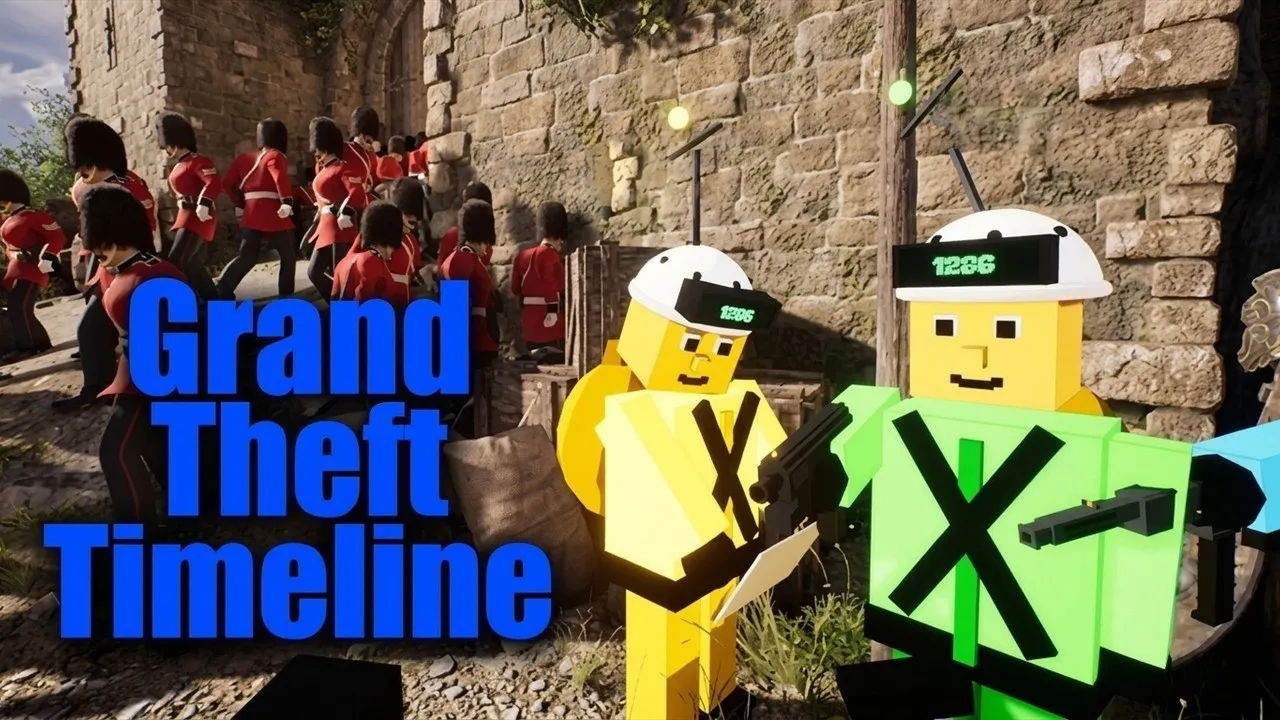
Running into a sudden desktop crash or finding Grand Theft Timeline stuck in loading right as you launch a time-machine heist can derail an entire session with friends. Because REAL PLAYERS launched the title into Steam Early Access with more than 200 worlds, physics-driven combat, and Steam Workshop mod support, having a practical Grand Theft Timeline crash fix ready saves you from losing progress or stalling your crew in the garage. This guide walks through every reliable Grand Theft Timeline crash fix grounded in verified Steam requirements, client diagnostics, friends-only co-op behavior, and official developer support channels.
Verified PC System Requirements and Platform Limits
Before changing files or reinstalling, verify that your PC meets the baseline listed on the official Grand Theft Timeline Steam store page. As of its November 19, 2026 Steam Early Access release window, the game is listed exclusively for 64-bit Windows 10 or newer on Steam (App ID 4928450). No official macOS, Linux, PlayStation 5, Xbox, Nintendo Switch, mobile, or VR build appears on the storefront, so crashes on unsupported operating systems or translation layers fall outside officially supported configurations.
Hardware headroom matters more than usual here because Grand Theft Timeline packs dense encounters, including hordes of 100 one-hit mummies, throw-anything physics, rides, and expandable garage zoos filled with captured NPCs. Note that REAL PLAYERS has not yet published separate recommended specs beyond requiring a 64-bit processor and operating system, making the minimum spec sheet your primary diagnostic baseline for any Grand Theft Timeline crash fix.
| Requirement Category | Official Steam Minimum Spec | Why Falling Short Triggers Crashes or Hangs |
|---|---|---|
| Operating System | 64-bit Windows 10 or newer | 32-bit Windows, older OS versions, and unlisted platforms like macOS or Linux lack official support |
| Processor | Intel Core i5-7400 (3.3 GHz) or AMD Ryzen 3 3300X | Heavy physics objects and large NPC crowds can bottleneck older CPUs during world transitions |
| Memory (RAM) | 8 GB RAM | Background browsers or overlays can exhaust 8 GB RAM when loading large theme packs or busy garages |
| Graphics | NVIDIA GeForce GTX 1050-Ti or AMD Radeon RX 5500 XT | Outdated drivers or GPUs below this tier are prone to startup failures and render stalls |
| Network | Broadband Internet connection | Unstable connections disrupt 1–4+ player online co-op sessions and Steam Cloud syncing |
| Storage | 10 GB available space | Running near zero free disk space blocks Steam patches, shader caches, and Workshop mod downloads |
If you run into technical or lobby issues on Steam, follow our Lag & FPS Performance Fix.
Step-by-Step Grand Theft Timeline Crash Fix Checklist for Steam
Because REAL PLAYERS has not published official error-code lists or documented specific in-game graphics menus ahead of Early Access, the safest Grand Theft Timeline crash fix starts at the Steam client and Windows system level. Work through these checks in order so you can isolate corrupted downloads, mod conflicts, or memory exhaustion without altering unsupported files.
| Step | Action to Take | Primary Issue Addressed |
|---|---|---|
| 1. Confirm Windows and GPU Updates | Update 64-bit Windows 10+ and install the latest NVIDIA or AMD display drivers | Launch-day crashes to desktop and black screens |
| 2. Verify Steam Game Files | Right-click the game in Steam, open Properties, go to Installed Files, and run file verification | Corrupted install files or incomplete Early Access patches |
| 3. Disable Steam Workshop Mods | Unsubscribe from community worlds, custom NPCs, or loot mods and test a clean save | Crashes after updates or world-load freezes |
| 4. Check Free Storage Space | Keep well above the 10 GB minimum free on the install drive for updates and mod data | Failed patching and save-write errors |
| 5. Close RAM-Heavy Background Apps | Shut down unused browser tabs, capture tools, and overlays before launching | Out-of-memory freezes on 8 GB RAM systems |
| 6. Test Solo Offline/Single-Player First | Launch a solo run before joining friends to separate local PC issues from co-op networking | Distinguishing hardware crashes from multiplayer hangs |
Verify Game Files and Check Steam Cloud Sync
Incomplete Steam downloads are one of the fastest causes of startup failures during an Early Access launch window. Verifying game file integrity in Steam compares your local installation of App ID 4928450 against the current depot and redownloads any damaged or missing assets without wiping your Steam Cloud progress.
Because Grand Theft Timeline supports Steam Cloud, avoid force-closing Steam immediately after a crash. Wait until Steam finishes syncing cloud saves before relaunching, or temporarily test a fresh solo session if you suspect a corrupted save state after an unexpected shutdown.
Isolate Steam Workshop Mods and Custom Worlds
Official Steam Workshop support and a built-in mod kit let players create and download custom worlds, loot, and NPCs, including content built with an AI-supported mod engine. While modding adds huge variety, community-made levels frequently break right after Early Access hotfixes.
If your Grand Theft Timeline crash fix efforts fail only when loading a specific timeline or garage save, unsubscribe from every Steam Workshop item and restart Steam. Once a vanilla solo world loads normally, re-enable community mods one at a time until you identify the pack causing the crash.
Free Up Memory Before Heavy Physics and Crowd Encounters
On machines sitting right at the 8 GB RAM minimum, available memory shrinks fast once Windows, Steam, Discord, and a web browser run alongside the game. High-activity moments—such as fighting dense crowds, launching into The Timeline Arena colosseum, or expanding a garage packed with paradox-farming cages—place extra load on RAM and CPU threads.
Close non-essential apps before clicking Play, and confirm you have more than the bare 10 GB storage minimum available so Windows has breathing room for temporary files and Steam updates.
If you run into technical or lobby issues on Steam, follow our Multiplayer & Voice Chat Fix.

Grand Theft Timeline - Official Announcement Trailer (REALPLAYERS)
General game footage used as fallback media. This is not a keyword-specific tutorial or device benchmark; use the cited references for factual claims.
Fixing Grand Theft Timeline Stuck in Loading and Co-Op Desyncs
When players encounter Grand Theft Timeline stuck in loading, the root cause often comes down to how multiplayer sessions work. Developer Tbjbu2 confirmed in Steam Discussions that the game supports single-player and friends-only online co-op for 1–4+ players, with no public matchmaking lobbies, no couch split-screen, and no crossplay listed on Steam.
Because co-op relies on direct friends-only connections over a broadband Internet link, a mismatch between host and client versions—or mismatched Steam Workshop downloads—can stall a loading screen indefinitely. Always test whether the loading hang happens in single-player first, since a solo hang points to local files or Workshop mods while a multiplayer-only hang points to host sync or network routing.
| Symptom | Likely Cause Based on Confirmed Features | Practical Troubleshooting Step |
|---|---|---|
| Stuck loading on initial launch | Damaged Steam files, pending Windows/GPU driver update, or Steam Cloud sync stall | Restart Steam, verify installed files, and confirm Windows 10+ 64-bit requirements |
| Stuck loading when traveling to a new world | Broken or outdated Steam Workshop custom world or low available RAM | Unsubscribe from Workshop mods, close background apps, and reload a standard theme pack |
| Stuck loading when joining a friend | Game build mismatch, mismatched Workshop items, or unstable broadband connection | Have all 1–4+ players update on Steam, match mod lists, and verify broadband stability |
| Launch blocked on shared PC or account | Steam Family Sharing session already active on another device | Confirm no other Family Sharing member is running the game before retrying |
If your Grand Theft Timeline stuck in loading issue happens only during friends-only co-op, try having every player restart Steam at the same time so the client pulls any hotfix deployed by REAL PLAYERS. Having a different friend host the garage session on a wired broadband connection is also a quick way to rule out local firewall or router restrictions.
For hardware and storefront compatibility details, see our PC System Requirements.
What Is Confirmed vs. Unconfirmed for Early Access Stability
Transparent expectations are essential for any Early Access Grand Theft Timeline crash fix. On Steam, REAL PLAYERS explicitly notes that an Early Access release spanning 200+ worlds, 25+ theme packs, and 2,000+ capturable NPCs will naturally have rough edges during its planned roughly 24-month Early Access period (targeted for full release around late 2028).
At the same time, several technical details remain unconfirmed in official channels as of the launch window. Checking what is officially verified prevents wasted time chasing unverified tweaks or outdated playtest workarounds.
| Troubleshooting Area | Officially Confirmed Status | Unconfirmed / Pending Post-Launch Verification |
|---|---|---|
| Platform & OS Support | 64-bit Windows 10+ on Steam only | No official macOS, Linux, Steam Deck, or console builds listed |
| Hardware Targets | Full minimum spec sheet published on Steam | Detailed recommended CPU, GPU, and RAM specs not yet listed |
| Playtest & Demo Access | Private Discord playtest is officially closed; no public Steam demo listed | No announced reopen date for free playtests |
| In-Game Fixes & Error Codes | Developer pledges fast fixes for reported Early Access rough edges | No published official error-code table, crash-log path, or launch patch notes yet |
| Mod Compatibility | Official Steam Workshop and built-in mod kit supported | Long-term mod stability across ongoing Early Access updates |
Reporting Bugs Through Official Support Channels
If local Steam checks do not provide a working Grand Theft Timeline crash fix, sending a concise report directly to the developer is the fastest path to a patch. REAL PLAYERS specifically asks players to report Early Access bugs through three official routes so fixes can roll out quickly.
| Official Support Channel | Where to Access It | Best Information to Include |
|---|---|---|
| Official Discord (Fast Support) | Invite shared in the pinned Steam Discussions Discord thread (discord.gg/qDrkK64RnN) |
Exact Windows 10+ version, CPU/GPU/RAM specs, solo vs. co-op, and active Workshop mods |
| Steam Community Discussions | Grand Theft Timeline Steam Discussions | Step-by-step trigger (startup, loading screen, arena, or specific world) |
| In-Game Feedback Form | Built into the Early Access build (confirmed on Steam) | Immediate reports for non-fatal freezes, physics glitches, or world-load bugs |
| Official News & Developer Links | Steam Community Announcements and the Tbjbu2 official developer website | Checking official updates and verified announcements before troubleshooting |
Before posting a new thread, check the latest notices in the announcements feed to see whether a hotfix is already live. Avoid third-party “crash fix” DLL downloads or unofficial launchers—stick exclusively to Steam updates and the verified support links listed above.
Frequently Asked Questions
What is the fastest Grand Theft Timeline crash fix on Steam?
Start by confirming your PC meets the verified minimum requirements (64-bit Windows 10+, Core i5-7400 or Ryzen 3 3300X, 8 GB RAM, and a GTX 1050-Ti or RX 5500 XT), then verify game file integrity in Steam and disable any Steam Workshop mods. Testing a clean solo session immediately tells you whether the problem is local or co-op related.
Why is Grand Theft Timeline stuck in loading when I join my friends?
Because Grand Theft Timeline uses friends-only online co-op for 1–4+ players with no public matchmaking, loading hangs usually happen when players run different Early Access builds, hold mismatched Steam Workshop mods, or experience unstable broadband connections. Have every crew member restart Steam to fetch updates and disable custom Workshop worlds before retrying.
Does Grand Theft Timeline run on Mac, Linux, or consoles?
According to the official Steam store listing, Grand Theft Timeline lists support only for 64-bit Windows 10 or newer on PC. No macOS, Linux, PlayStation, Xbox, Switch, mobile, or VR version is officially listed, so crashes on unsupported platforms cannot be guaranteed a fix.
Can I still join the free Discord playtest to test performance on my PC?
No. According to the official Steam Community announcement, the free private Discord playtest is closed, and no public Steam demo is currently listed. You can still follow the official Discord link posted by Tbjbu2 on Steam Discussions for fast technical support once you own the Steam Early Access version.
Related guides: All Platforms & Steam PC Guide · Multiplayer & Co-Op Guide · Public Lobby & Matchmaking Guide
Related Articles
community
Grand Theft Timeline Discord: Official Invite, Support, and Playtest Status
Find the official Grand Theft Timeline Discord invite code, developer support thread, friends-only co-op rules, and closed playtest status.
community
Grand Theft Timeline Gold Team Explained: Confirmed Facts and Co-Op Guide
Searching for the Grand Theft Timeline gold team? See what is officially confirmed, how 1-4+ player Steam co-op works, and where mods fit in.
community
Grand Theft Timeline GTA 6 Joke Explained: Release Day & Co-Op Facts
Explore the Grand Theft Timeline GTA 6 release-day joke, Steam Early Access facts, 1-4+ co-op rules, PC specs, and community reports.
Was this helpful?
Thanks for the feedback!